How to Play 16 RPM Transcription Discs on a Modern Turntable
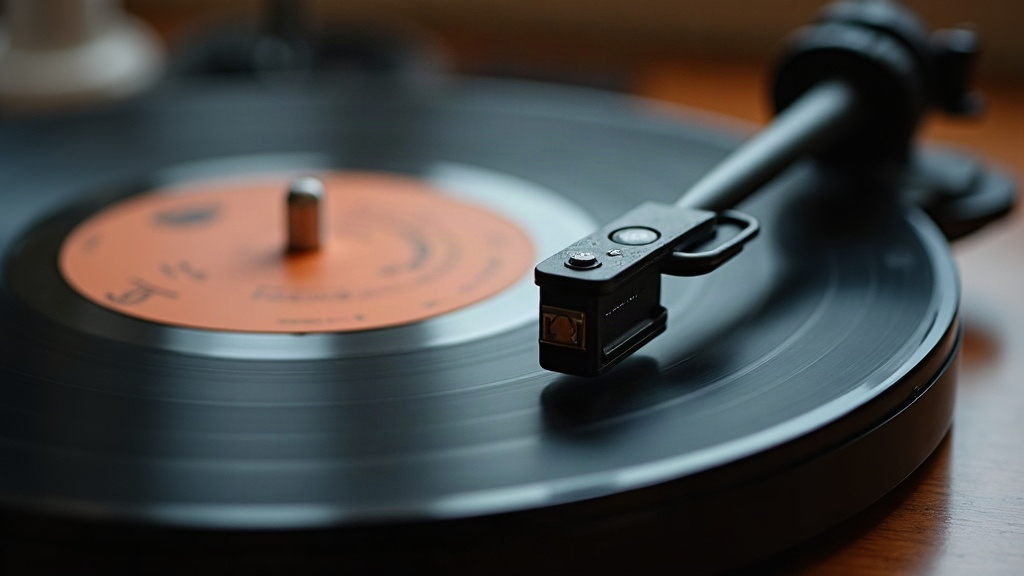
Playing 16 RPM transcription discs on a modern turntable is doable, but you can’t just drop one on any old deck and hit play. You need a turntable that actually hits true 16 RPM (or one with pitch control you can push down that far), a stylus that fits the groove width cut into that specific disc, and a willingness to handle something that’s probably older than your grandparents and just as delicate. Here’s what actually matters if you want to play these safely and get sound worth hearing.
What Are 16 RPM Transcription Discs?
These discs did the heavy lifting of radio from roughly the 1930s into the 1950s. Stations used them for broadcasting, syndicated shows, news reels, drama serials, ad spots, even early talking-book recordings made for blind listeners. Since they spin at about half the rate of a normal 33⅓ LP, a 16-inch disc could hold around 15 minutes per side. That mattered a lot before tape recording became the industry standard, because it meant a whole radio segment could live on a single platter instead of a stack of shorter ones.
A few things set these apart:
- Diameter: Frequently 16 inches across, though 12 and 10-inch versions exist too. Either way, bigger than anything you’ll find in a normal record crate.
- Material: A lot of them are aluminum or glass discs coated in lacquer, aka “acetates.” They’re brittle by nature and love to delaminate or crack, sometimes just from sitting in a box too long.
- Groove type: Some were cut with standard microgroove width, others with the wider “coarse groove” style you’d see on 78s. This detail decides which stylus you’re allowed to use, so don’t skip it.
Step 1: Confirm Your Turntable Supports 16 RPM
Your average consumer deck tops out at 33⅓ and 45. To actually hit 16, you’ve got three realistic paths:
- A turntable with a built-in 16 RPM speed. Some vintage Technics, Dual, and Lenco models have this, along with a handful of audiophile and DJ-oriented direct-drive decks.
- A pitch/speed slider. Certain Pioneer, Reloop, and Numark turntables let you drag a 33⅓ platter down near 16 RPM. It’s rarely dead-on without some manual tweaking, so expect to fine-tune by ear or with a strobe disc.
- An outside speed controller. Some collectors bypass the problem entirely: record the disc at 33⅓, then digitally slow the file down by exactly half using software.
If your turntable simply doesn’t go there, that record-then-halve trick works well, especially paired with something like Audacity or iZotope RX for the pitch correction stage.
Step 2: Match the Right Stylus and Tonearm
This is where most people trip up.
- Microgroove 16 RPM discs usually play fine with a standard elliptical or spherical LP stylus, the same kind you’d already have for 33⅓ records.
- Coarse-groove transcription discs, which show up a lot in early radio archives, need a 78-style stylus with a wider tip. Run a standard LP needle through one of these and you risk chewing up the groove and getting garbage tracking in return.
- Make sure your tonearm has adjustable tracking weight and anti-skate. Decades of broadcast handling leave these discs warped, uneven, worn in odd patterns, and a rigid setup won’t cope well.
Not sure what groove type you’ve got? Look at it under magnification, or check the label. Transcription discs often print clues like “NAB,” “Orthacoustic,” or other EQ/groove standard names right on the sleeve or disc itself.
Step 3: Check Playback Equalization (EQ)
Here’s something that trips up even experienced collectors: these discs weren’t cut with the RIAA curve that’s baked into every modern phono preamp. Instead you’ll run into NAB, AES, Columbia, or sometimes totally “flat” equalization. Play one through a standard RIAA preamp and the result can sound thin, muddy, or just tonally wrong, even if the needle and speed are perfect.
To get it right:
- Use a multi-curve phono preamp. KAB and Technics both make units with selectable EQ curves, and there are specialized restoration preamps built specifically for this kind of work.
- For archival-grade transfers, it’s often better to record flat and apply the correct EQ afterward in software, rather than trusting a single hardware setting for the whole disc.
Step 4: Handle With Care
Many of these discs are one-of-a-kind. There’s no reissue, no backup copy sitting in a warehouse somewhere. Before you even think about dropping the needle:
- Check for cracks, delamination, or warping first. If a disc looks compromised, don’t risk a playback pass, get it digitized by someone with the right gear.
- Clean it gently, ideally with a carbon fiber brush or a proper record-cleaning fluid. Hard wiping can grind debris straight into brittle grooves.
- Hold the whole disc, not just the edges. A 16-inch lacquer disc can actually flex and crack under its own weight if you pick it up like a normal LP.
- If you’re going to be doing this regularly, invest in a turntable mat with extra support, or better yet, look into a dedicated large-platter deck like a Rek-O-Kut or a restored broadcast turntable built for exactly this job.
When to Consider Professional Digitization
Sometimes the smart move is to not touch it yourself. If a disc is historically important, badly degraded, or you simply don’t own the equipment this job demands, send it to an audio preservation specialist. These people work with calibrated multi-speed turntables, swap styli depending on groove type, and keep whole libraries of EQ curves on hand. The payoff: a high-fidelity digital transfer, minimal additional wear on the original, and a copy you can listen to as many times as you want without ever touching the fragile source again.
Conclusion
None of this is rocket science, but it does take the right combination of pieces: a turntable that can actually hit 16 RPM, a stylus matched to the groove, awareness of which EQ curve you’re dealing with, and a gentle hand. Get those right and you can enjoy, and more importantly preserve, a genuine slice of broadcasting history that most people never even know existed.